4thewords for desktop

Your words count in any writing app.

Write in Word, Scrivener or any app you like. Every word fights a monster.

Download freeFree, no account needed
Start freeInstall it later on your computer.
4thewords on a Windows desktop, counting words as they are typed in Word, Scrivener and Obsidian, then winning the battle
Setup

Install it once. Then just write.

Set up 4thewords
4thewords installer
9:41

The shield appears in your menu bar or tray.

Step 1 of 3
Works with

Write anywhere. Your words still count.

Click an app in the dock. You decide what counts.

Chrome
In a browser, you pick the sites.Click a tab to count it or not. Everything you did not pick stays uncounted.
What you get

Your computer, now with monsters.

The app keeps score quietly while you write, and lets you know when something good happens.

  • Battles, loot and XP from words you write in any app
  • Your streak, kept with words from anywhere
  • Free, and no account needed to start
4thewordsnow
Victory! Tandrey is defeated+45 Coins, +120 XP and an item drop.
4thewords2m ago
Streak kept: day 12444 words today. Scrivener counted them.
4thewords9:41
1,044 words todayScrivener 620 · Google Docs 310 · 4thewords.com 114
Stays out of your way

Your battle, right beside the page.

Keep it in a window, in your menu bar or tray, or as a slim bar over your draft. Switch anytime.

A window

Your words today, your battle and your daily challenges, all in one place.

Menu bar or tray

Click the shield icon to check your battle without leaving your draft.

The Mini bar

Watch the full app fold into a slim bar, then keep your count and battle in view while you write.

Your writing day

See your writing day come together.

Keep your draft in Scrivener, see your writing add up, and turn words into battle wins.

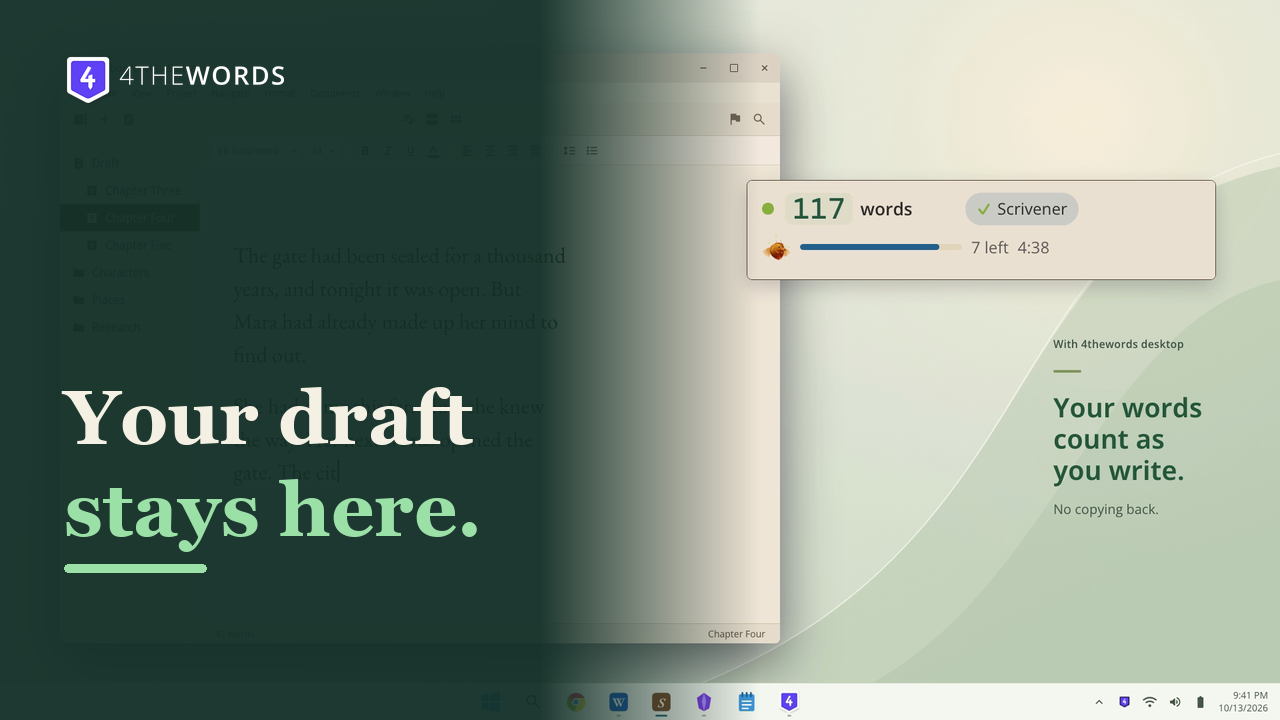
4thewords desktop app counting words in Scrivener while a monster battle plays

Keep writing in Scrivener.

Your draft stays in Scrivener. The desktop app counts your words as you write.

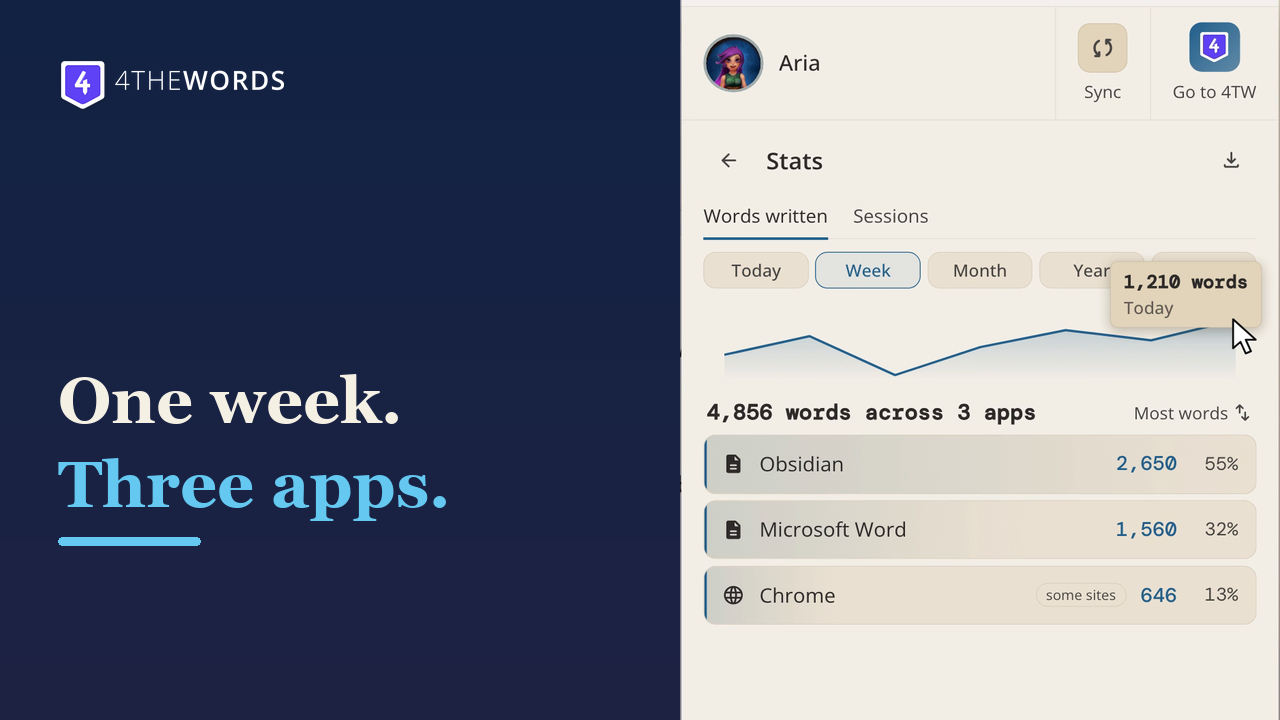
4thewords desktop writing stats showing words counted across different apps

See your writing add up.

Bring today's words together across the apps you use and see your progress at a glance.
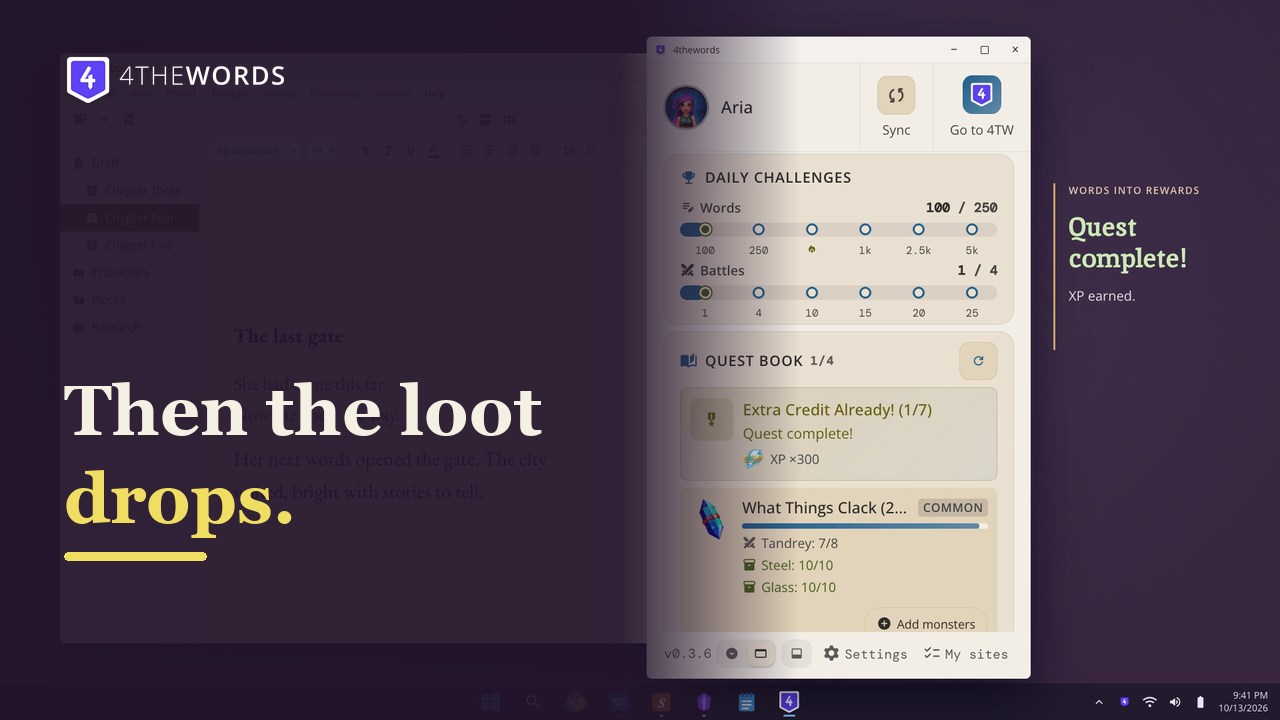
A 4thewords desktop battle where writing words deal damage to a monster

Every word deals damage.

Write, win the battle, and see what your words earn in 4thewords.

Privacy

Keys in. Numbers out.

The app counts keystrokes on your computer. Your text is never stored or sent.

  • Only numbers leave your computer: how many words, never which ones.
  • When you paste, it reads the pasted text once to count it, then discards it.
  • Which apps you use stays on your computer unless you turn on Track apps & sites.
  • No ads and no analytics in the app.
Never countedPassword managersPassword promptsTerminalsRead the privacy policy
Download

Free on Mac, Windows and Linux.

Checking downloads…

Windows

Windows 10 and 11, 64-bit.

Download from the Microsoft Store

No administrator password needed. The Microsoft Store version installs without a warning. If the installer shows "Windows protected your PC", click More info, then Run anyway.

Need a hand? The install guide walks through each system, and the Help Center has the rest.

Questions? Answers.

Is it free? Do I need an account?
It's free, and so is 4thewords. The app counts your words without an account. Sign in with a free 4thewords account to send them to your battles, quests and streak.
Which apps and sites count?
The ones you choose. Start with your writing apps, like Scrivener, Word, Pages and Obsidian, and add Google Docs or other sites if you want. Apps count as a whole, and browsers count site by site. Word Counting & My Sites
Do you read what I write?
No. The app counts keystrokes on your computer and sends only numbers. Your text is never stored or sent. When you paste, it reads the pasted text once to count it, then discards it. Permissions & Privacy
I already use the Chrome extension. Will words count twice?
No. Keep the extension. Where both are on, the extension steps aside in any browser the app is counting.
Does it update itself?
Yes. It checks for updates and asks before it restarts. On Linux, .deb and .rpm updates ask for your password. How updates work
Why does Windows show a warning?
Windows warns about new apps until they build a reputation. Install from the Microsoft Store and there is no warning. The installer on this page is signed by its publisher, Reboot Cr S.A. If it shows "Windows protected your PC", click More info, then Run anyway. Installing on Windows
Will it match my document's word count?
Closely, and a little higher. It counts the words you type, and deleting words doesn't subtract them. Pasted words count when you paste with the keyboard. Why counts run a little high
I write in Chinese, Japanese or Korean.
Writing with an input method counts lower than your real word count for now.
Windows Security removed the app. What now?
Windows Security sometimes mistakes a new app that counts typing for a threat, and we've reported it to Microsoft. Open Windows Security, go to Virus & threat protection, click Check for updates under Protection updates, then run the installer again. Step by step in Troubleshooting
Can I use it on a work or school computer?
It depends on the computer. A computer managed by work or school can block the permission the app needs to count your typing. If it's blocked, ask whoever runs the computer, or use your own.
I installed it. Where is it?
On a Mac, look for the shield icon in the menu bar. On Windows, it's in the system tray: click the ^ arrow next to the clock. Installing & Signing In
How do I uninstall it?
Mac: quit it from the menu-bar icon, then drag it from Applications to the Trash. Windows: Settings, Apps, Installed apps, 4thewords, Uninstall. Linux: sudo apt remove 4thewords or sudo dnf remove 4thewords. Turning on word counting on Linux adds you to the input group, and uninstalling doesn't remove you: run sudo gpasswd -d $USER input, then log out and back in. Uninstalling never touches your 4thewords account. Uninstalling the Desktop App
Does it work on Linux with Wayland?
Yes. On Wayland the Mini bar can't stay on top, and desktops without a tray (stock GNOME, LXQt, MATE) open the app as a window. Window, Mini Bar & Settings

Open your draft. We'll keep score.

Free on Mac, Windows and Linux. Words you write in the app count toward Write Fest, Nov 1 to Dec 8.